Brug uden konto
Udforsk kortet, whiskyer, destillerier, aftappere, whiskybarer, ratings, leksikon, nyheder, releases og events uden at logge ind.
Kom godt i gang
Find svar og korte trin til kortet, destillerierne og dine personlige whiskyfunktioner.
Brug kortet og de offentlige opslag til at udforske whiskyverdenen. Med en gratis konto kan du desuden opbygge din egen samling, gemme ønsker, skrive ratings og dele samlinger.
Mærkaterne på hvert emne viser, om funktionen kan bruges uden konto, eller om du skal være logget ind.
Du kan begynde uden en konto og først logge ind, når du vil gemme dine egne oplysninger.
Udforsk kortet, whiskyer, destillerier, aftappere, whiskybarer, ratings, leksikon, nyheder, releases og events uden at logge ind.
En konto giver adgang til dashboard, samling, Whiskyskyen, egne ratings og deling. Personlige funktioner ligger i menuen Min Whisky og i brugermenuen.
De faste menupunkter åbner kort, steder, ratings og leksikon. Whiskyuniverset samler inspiration, mens Min Whisky samler dine personlige værktøjer, når du er logget ind.
Installér Whiskykort på telefon, tablet eller computer. Det er den samme tjeneste og konto, men webappen åbner i sit eget vindue og kræver ingen appbutik.
Når browseren understøtter direkte installation, vises Installer app i hovedmenuen. Vælg den, og bekræft installationen. Hvis knappen ikke vises, skal du bruge browserens egen menu som beskrevet nedenfor.
Åbn siden i Chrome eller Edge, åbn browsermenuen, og vælg Installer app eller Føj til startskærm. Bekræft derefter installationen.
I Chrome eller Edge på Windows, macOS eller Linux vælger du installationsikonet i adresselinjen eller Installer app i browsermenuen.
I Safari på nyere macOS vælger du Arkiv og derefter Føj til Dock. Hvis installation ikke tilbydes, kan Whiskykort fortsat bruges normalt i browseren.
Når en ny version er klar, vises en besked med knappen Opdatér. Hvis forbindelsen forsvinder, vises en offline-side; kort, søgning og personlige data kræver fortsat internetforbindelse.
Kortet samler destillerier, aftappere og whiskybarer. Resultattælleren opdateres, når du søger eller filtrerer.
Skriv navnet på et destilleri, en aftapper eller en whiskybar i søgefeltet. Vælg et resultat for at finde stedet på kortet, og klik på markøren for oplysninger og relevante links.
Under Filtre vælger du stedtype, destilleristatus, land, whiskytype og andre egenskaber. På mobil åbner filtrene i et panel oven på kortet, som lukkes med krydset eller ved at trykke udenfor. Du kan kombinere flere filtre og bruge Nulstil filtre for at begynde forfra.
Vælg Min position og giv browseren adgang til din placering. Når et sted har koordinater, kan du vælge Rute for at åbne vejvisning i din korttjeneste.
Åbn Filtre og vælg Korttype for at skifte mellem vejkort, satellitkort og OpenStreetMap. Brug Vis alle for at tilpasse zoom til resultaterne, eller åbn kortet i fuld skærm. På mobil åbnes søgning og værktøjer med knappen over kortet, og zoomknapperne ligger over bundmenuen.
Filtrene er samlet i Steder, Filtrer steder, Produktion og Kort & regioner. Åbn en gruppe ved at trykke på overskriften. Dine valg bevares, når du folder gruppen sammen eller lukker filterpanelet.
Skærmbillederne viser kortet i mørkt tema med et udvalg af steder på Islay. Antal og udvalg er eksempler og kan ændre sig. Billederne følger sidens sprog; vælg Mobil eller Desktop for at se den anden visning.
På mobil: Tryk på søge-/filterikonet over kortet og derefter Filtre. Tryk på håndtaget øverst i panelet, eller træk det op, for at få mere plads. Rul inde i panelet, og luk det med krydset eller ved at trykke udenfor. På desktop kan du lukke panelet for at gøre kortet bredere og åbne det igen med Filtre.
Under Steder slår du Destillerier, Aftappere og Whiskybarer til eller fra. Under Filtrer steder vælger du Land, Whiskytype, Diverse og Destilleristatus. Land gælder for alle tre stedtyper; whiskytype, Diverse og status gælder for destillerier.
Åbn en filterliste og brug Søg i listen til at finde et valg. Søgningen indsnævrer kun listen med valgmuligheder; den ændrer ikke dine allerede valgte filtre. Du kan vælge flere lande eller statusser. For Whiskytype og Diverse skal destilleriet opfylde alle de valgte egenskaber.
Eksempel: Vælg Skotland under Land og Aktiv under Destilleristatus for at vise aktive skotske destillerier. Slå Aftappere og Whiskybarer fra under Steder, hvis du kun vil se destillerier.

Åbn Produktion og slå Vandkilder, Tørv, Malterier, Bødkerier eller Lagerhuse og modningssteder til. Du kan vise flere lag samtidig. Produktionslagene vises uafhængigt af land, whiskytype og destilleristatus.
Vent på, at antallet af steder vises under laget. Tryk Vis produktionssteder for at zoome til alle steder i de valgte produktionslag. På mobil lukker filterpanelet, så du kan se kortet. Hvis et lag ikke kan hentes, kan du trykke Prøv igen.
Tryk på en produktionsmarkør for at se oplysninger, kilder og eventuelle destilleriforbindelser. Usikre forbindelser er markeret i oplysningerne. Lagene indeholder udvalgte, dokumenterede steder; markørerne viser steder, ikke områdegrænser.

Under Kort & regioner vælger du Korttype. OpenStreetMap er altid tilgængelig; vejkort og satellit vises, når de er tilgængelige på siden. Signaturforklaringen viser symbolerne for destillerier, aftappere og whiskybarer.
Slå Skotske whiskyregioner til for at se regionerne på kortet. Grænserne er omtrentlige. Regionslaget er et ekstra kortlag og ændrer ikke dine valgte stedfiltre.

De aktive valg vises som mærkater under kortets søgefelt. Tryk på krydset på en mærkat for at fjerne det enkelte valg. Tallene ved grupperne og knappen Filtre viser dine aktive valg, også når grupperne er foldet sammen.
Tryk Resultater for at se destillerier, aftappere og whiskybarer i det aktuelle kortudsnit. Listen følger dine stedfiltre og ændrer sig, når du flytter eller zoomer kortet. Produktionssteder vises på kortet, men indgår ikke i denne liste. Vælg et resultat for at åbne stedet. Efter Min position kan du også sortere listen efter Afstand.
Brug Vis alle til at zoome til de filtrerede destillerier, aftappere og whiskybarer. Hvis kortet er tomt, kan du fjerne et filter eller trykke Nulstil filtre nederst i filterpanelet. Nulstilling rydder søgning og stedfiltre, slukker produktions- og regionslag og gendanner de almindelige stedtyper.

Saml steder, du har besøgt eller vil besøge, i dit eget lag på kortet. Gem flere besøg med dato, beskrivelser, private noter og billeder, og knyt dine whiskysmagninger til oplevelserne.
Log ind, og vælg Min whisky → Mine whiskyoplevelser for at åbne oversigten. På mobil kan du åbne hovedmenuen med menuknappen. Du kan også vælge Se alle mine steder i kortets oplevelseslag.
Skærmbillederne viser demobrugerens eksempler i mørkt tema. Formulartekster følger sidens sprog; gemte stednavne, oplevelser og smagningsnavne vises på det sprog, de er skrevet på. Vælg Mobil eller Desktop for at se den anden visning.
Åbn Filtre på kortet, fold Mine whiskyoplevelser ud, og slå laget til. Vælg Alle mine steder, Besøgte steder eller Steder jeg vil besøge. Grønne knappenåle med flueben viser besøgte steder; gyldne knappenåle med en diamant viser steder, du vil besøge.
På mobil åbner du først søge-/filterværktøjerne over kortet og derefter Filtre. Tryk på håndtaget øverst i filterpanelet for mere plads, og rul i panelet. Luk panelet for at se hele kortet. På desktop vises filtrene ved siden af kortet.
Offentlige whiskyoplevelser er et særskilt lag med blå knappenåle. Alle kan læse offentlige besøg, også uden login. Du kan slå de to oplevelseslag til og fra uafhængigt af hinanden og af kortets øvrige lag.

Klik på et destilleri på kortet, og vælg Føj til mine whiskyoplevelser i stedets popup. Navn og placering udfyldes automatisk. Hvis destilleriet allerede er tilføjet, står der Se mine whiskyoplevelser, så du åbner dit eksisterende sted uden at oprette en dublet.

I oversigten vælger du Opret oplevelse og åbner Vælg en eksisterende lokalitet. Skriv mindst to tegn, og vælg et forslag i feltets liste. Du kan søge efter destillerier, whiskybarer og aftappere; det valgte sted giver navn og placering.
Vil du gemme en messe, festival eller et andet sted, vælger du Tilføj knappenål i kortlaget og klikker på kortet. Angiv navn og private noter. Vælg Vil besøge for at gemme et ønske, eller Besøgt – tilføj et besøg for at registrere en oplevelse. Fra oversigten kan du også oprette et sted uden placering og placere det på kortet senere.

Åbn dit sted, vælg Tilføj besøg, og udfyld besøgsdato, titel, beskrivelse og eventuelle personlige noter. Du kan tilføje flere besøg til samme sted; de nyeste vises først. Det første gemte besøg ændrer stedets status til Besøgt, og alle besøg bruger samme knappenål.
Vælg Privat eller Offentlig for hvert besøg; nye besøg er private som standard. Et offentligt besøg viser dit offentlige brugernavn, dato, beskrivelse, billeder og stedets placering. Personlige noter er altid private. Et sted kan have både private og offentlige besøg, og synligheden kan ændres senere.
Vælg ét eller flere billeder i JPEG-, PNG- eller WebP-format, højst 10 MB pr. billede, og tryk Gem besøg. Billederne hører til det enkelte besøg. Åbn et billede for større visning, og vælg Fuld skærm for at udvide det. Du kan tilføje flere billeder ved at redigere besøget og fjerne billeder fra stedets besøgspanel.

Når du gør et besøg privat, kan andre ikke længere åbne besøget eller dets billeder. Uønsket offentligt indhold kan blive fjernet.
Har du eksempelvis været til whiskymesse og samlet dine ratings under en smagning? Vælg smagningen i Tilknyttet smagning på besøgsformularen, og tryk Gem besøg. Hvert besøg kan knyttes til én af dine eksisterende smagninger.
Hvis smagningen ikke findes endnu, opretter du den under Mine smagninger og samler dine whiskyratings dér. Du kan derefter knytte den til et nyt eller eksisterende besøg. Fra smagningens egen side kan du også vælge Opret oplevelse; dato og smagning udfyldes på forhånd.

Det gemte besøg får linket Åbn smagning. Linket åbner smagningen med dine registrerede whiskyer, noter og scorer. Tilknytningen ændrer ikke smagningens eller dine ratings synlighed, og smagningslinket deles ikke med andre via et offentligt besøg.

Oversigten viser dine besøg og steder, du vil besøge. Søg i steder, oplevelser og noter, og filtrér efter status, synlighed eller tilknyttet smagning. Sortér efter dato eller stednavn, og tryk Anvend filtre. Nulstil rydder valgene i oversigten.
Vælg Rediger besøg for at rette dato, beskrivelse, billeder, synlighed eller smagning. Se og rediger stedet åbner stedets navn, private noter og alle dets besøg. Vis på kort finder knappenålen.
Slet besøg fjerner kun det valgte besøg og dets billeder. Fjern sted i stedets panel fjerner stedet og alle dine besøg og billeder på det. Du bliver bedt om at bekræfte sletningen. En tilknyttet smagning og dens ratings bliver ikke slettet, når du fjerner en oplevelse.

Vælg Ret placering fra oversigten eller stedets panel. Kortet åbner i placeringstilstand: klik eller tryk på det rigtige sted for at gemme den nye placering. Hvis stedet endnu ikke har koordinater, vælger du Placér på kort.
Kun din personlige knappenål flyttes; det eksisterende destilleris, whiskybarens eller aftapperens placering ændres ikke. Besøg, billeder og smagningslinks bevares. Vælg Annuller placering, eller tryk Escape på desktop, hvis du ikke vil flytte knappenålen.

Opslagssiderne kan bruges som selvstændige lister eller som indgang til kort, whiskyer, baggrundstekster og eksterne hjemmesider.
Brug lupikonet øverst på siden for at søge på tværs af whiskybeskrivelser, destilleriresumeer, aftappere, whiskybarer, offentlige ratings, leksikon, releases og events. Søgningen forstår også beslægtede ord og smagsbeskrivelser. På mobil ligger ikonet fast ved siden af menuen. På computer kan du også bruge Ctrl/⌘ K.
Skriv mindst to tegn. Tryk Enter for at udføre den fulde søgning, eller klik på et forslag for at åbne resultatet direkte.
Sæt anførselstegn omkring flere ord for kun at finde den præcise frase, fx "Thy Whisky". Tilføj eventuelt en kategori uden for anførselstegnene, fx "Thy Whisky" destilleri.
Søg efter navn eller alias, filtrer efter land, type og egenskaber, og fold et resultat ud. Herfra kan du se stedet på kortet, finde tilknyttede whiskyer, læse et resume, besøge hjemmesiden eller høre navnet udtalt, når lyd er tilgængelig.
Aftappersiderne viser profiler, brands og relationer til destillerier. På whiskybarsiderne kan du finde besøgsoplysninger, åbne stedet på kortet og læse brugernes anmeldelser.
Filtrer whisky-databasen efter land, type og destilleri. Vælg om alle eller blot ét af søgeordene skal findes, og brug | mellem alternativer. Skift mellem detaljevisning og whiskyhylde med flaskebilleder; fold en whisky ud for flere oplysninger og link til destilleriet.
Ratingoversigten viser smagenoter og scorer samlet pr. whisky. Leksikonet forklarer ord, termer og tags, som du møder på resten af siden.
Mit whiskyoverblik er startsiden for dine personlige whiskydata og kræver login.
Se antal flasker, unikke whiskyer, destillerier og ønsker. Fordelingen viser også, hvor mange flasker der eksempelvis er åbne, uåbnede eller tomme.
Mit whiskyoverblik viser de senest tilføjede flasker, ønsker og bedømmelser. Brug Se alle eller genvejsknapperne for at åbne den fulde liste.
Hvis flasker mangler billeder eller egne noter, viser Mit whiskyoverblik en påmindelse og en genvej tilbage til samlingen.
Mit whiskyoverblik viser din aktivitet og personlige genveje. Samlingsstatistik viser fordelingen af flaskerne. Smagsnoter og bedømmelser samler ratings. På mobil markerer bundmenuen området Min whisky eller Whisky, mens den åbne menu viser den præcise side.
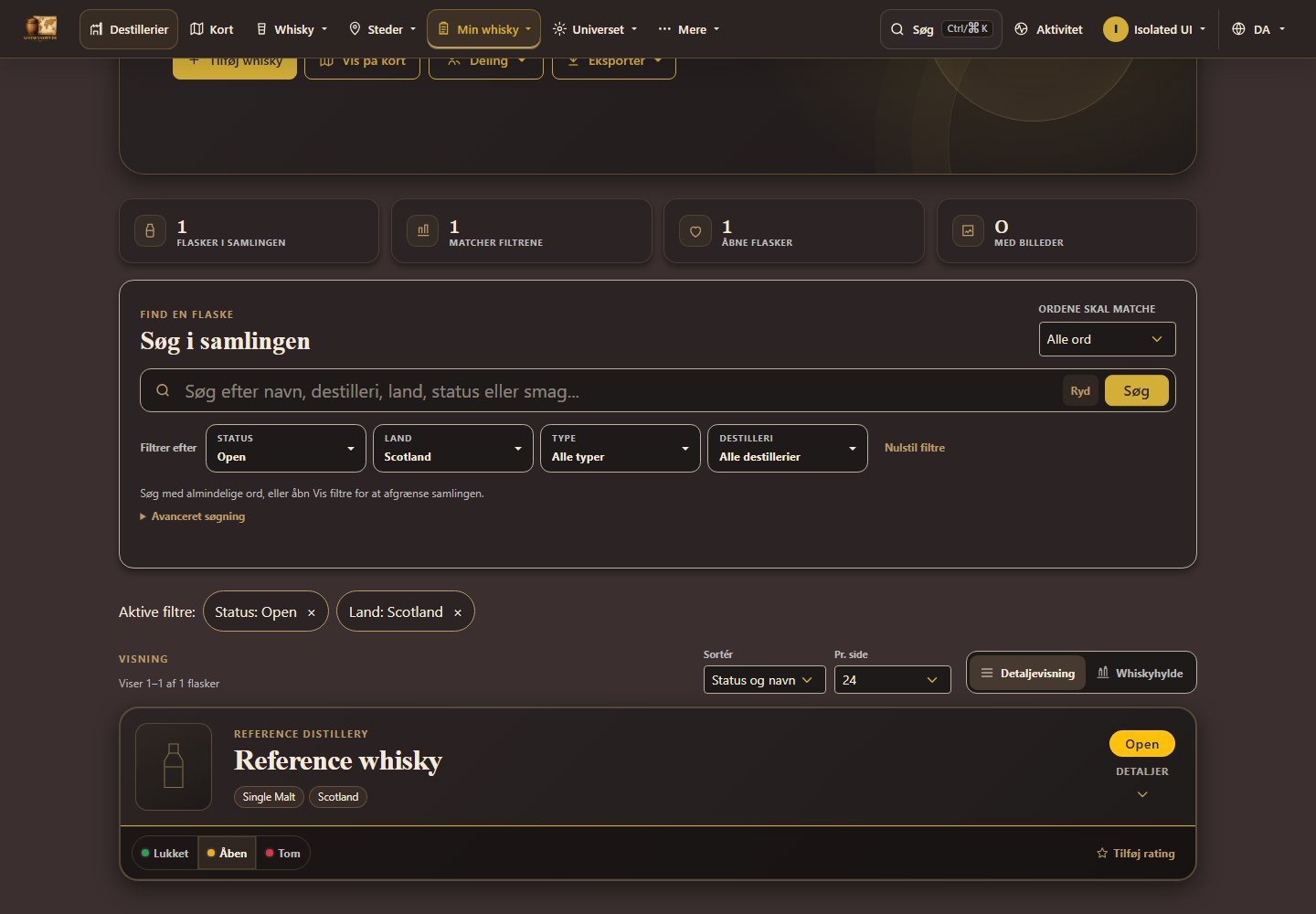
Over samlingens resultater vises de valgte filtre, også når filterpanelet er lukket. Tryk på et filter med × for at fjerne netop det filter. Søgning, øvrige filtre, sortering og visning bevares. Resultaterne starter på første side. Browserens tilbageknap gendanner det tidligere filter.
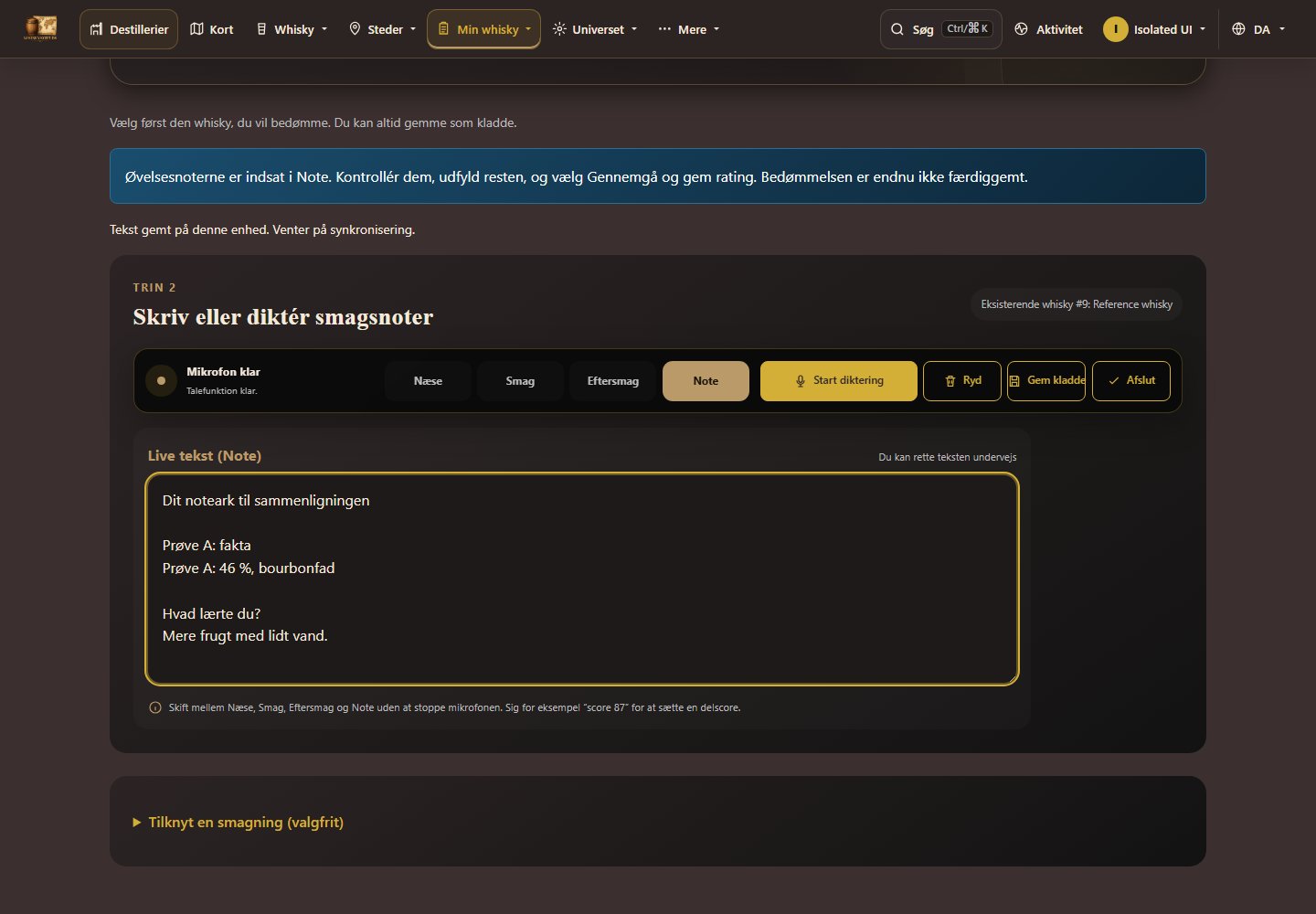
Overførslen er tilgængelig i en time i samme browser. Hvis den ikke virker, kan du bruge Kopiér alle noter og indsætte teksten manuelt i Note. Notearket gemmes separat i browseren i op til 30 dage, når browseren tillader det.
På forsiden kan du vælge Pause automatisk skift ved events. Du kan stadig bladre manuelt. Vælg Start automatisk skift for at fortsætte. Har du valgt mindre bevægelse på din enhed, begynder oversigten på pause.
Fra den første etiket til en gemt whisky. Vælg selv, om du vil registrere en flaske i din samling eller kun oprette whiskyprofilen.
Skærmbillederne viser den rigtige formular med eksempeldata i mørkt tema. Oplysninger og eventuelle dubletter er kun til demonstration.
Åbn whiskyoprettelseVælg Til min samling, hvis du ejer flasken. Vælg Opret kun whiskyprofil, hvis du kun vil tilføje whiskyen til databasen. Du kan ændre valget, før du gemmer.

Søg først efter navn, destilleri eller aftapning. Vælg en eksisterende whisky, hvis den passer. Ellers kan du bruge billeder, en produktside eller Opret manuelt. Du behøver kun vælge én metode.
Vælg Fra billede og tilføj op til 6 billeder af samme whisky. Brug gerne forside, bagside og et nærbillede. På mobil kan du også vælge Tag etiketfoto. Tryk Læs billeder og vent, til felterne er udfyldt.

Vælg Fra URL, indsæt et direkte link til én bestemt whisky, og tryk Hent oplysninger. Undgå søgeresultater og kategorisider. Screenshot af produktsiden er valgfrit og gør hentningen langsommere.

Opret manuelt åbner en tom formular. Kun navnet er påkrævet. Hvis du skriver et destilleri eller brand, skal du vælge et resultat fra listen eller bruge Ukendt destilleri / Fortsæt uden brand.
Kontrollér især navn, destilleri, alkoholprocent og størrelse. Størrelsen angives i ml: 50 cl er 500 ml. Et entydigt destillerimatch vælges automatisk, også ved små stavefejl, uden et ekstra acceptklik. Du kan rette eller fortryde valget.
Flere whiskyoplysninger åbner blandt andet aftapper og fadoplysninger. Supplér fra billede eller produktside, hvis noget mangler. Dine rettelser bevares; ved forskellige oplysninger vælger du den rigtige værdi.

Under Billede er et enkelt fundet billede valgt automatisk. Hvis der er flere, vælger du det, der skal bruges. Du kan også uploade et andet billede eller tage et flaskefoto. Brug intet nyt billede fravælger billedet; knappen gemmer ikke noget.

Dette trin vises kun ved Til min samling. Vælg flaskens status, og åbn Flere flaskedetaljer, hvis du vil tilføje købspris, valuta, købssted, datoer eller noter. Oplysningerne gælder din egen flaske.

Sammenlign med den eksisterende whisky. Brug eksisterende og gem er til den samme aftapning. Gem som anden aftapning er til en anden whiskyvariant. Navnet alene er ikke nok: kontrollér også styrke, størrelse, årgang og fad. Den eksisterende profil overskrives ikke.
På mobil vises forskellene først. Åbn Vis ens oplysninger for resten. I eksemplet er størrelserne forskellige: 500 ml og 700 ml.

Tryk Gem til Samling eller Gem whiskyprofil, afhængigt af dit formål. Gem og opret næste gør klar til endnu en whisky. Bevar destilleri, brand, aftapper og gemmemåde, hvis de skal bruges igen. Ved en mulig dublet bruger du i stedet en af de to valgknapper ovenfor.

Du kan fortsætte en gemt kladde efter genindlæsning eller vælge Fortryd oprettelse for at kassere den. Et direkte uploadet flaskebillede skal vælges igen efter genindlæsning; felter og valgte scanbilleder bevares.
Brug knappen ved grundoplysningerne, når du opretter eller redigerer en whisky. Forslagene supplerer etiketten; du vælger selv, hvad du vil bruge.
Skriv navnet, og vælg destilleri eller brand, eller skriv aftapperen. Tilføj alder, årgang, aftapningsår, udgave, fadnummer, alkoholprocent og flaskestørrelse, hvis du kender dem. Tryk derefter Hent ekstra oplysninger. Officielle produktsider og produktblade prioriteres.
Hver udgivelse har ét opslag, fælles på tværs af konti. Ved næste besøg vises det tidligere resultat, også hvis opslaget var tomt eller fejlede. Små staveændringer eller ændringer i alkoholprocent giver ikke et nyt opslag. Allerede aflæste billeder genbruges.
Åbn kildelinks, og kontrollér den præcise aftapning. Mulige afrundinger i alkoholprocent vises; din værdi bevares. En kilde, der tyder på en anden aftapning, markeres som ubekræftet. Ulæselige eller ubekræftede kilder kan stadig åbnes, men udfylder ikke felter.
Tryk Udfyld tomme felter med forslagene. En beskrivelse tilføjes under eksisterende tekst med et blankt afsnit imellem. Samme forslag tilføjes ikke to gange. Andre udfyldte felter bevares. Gennemgå formularen, og brug dens normale gemmeknap.
Beskeden viser, hvilke felter der faktisk er ændret. Hvis forslagene kun vedrører felter, der allerede er udfyldt, får du besked om, at intet er ændret. Et bekræftet kildelink indeholder ikke altid en beskrivelse; formularen fortæller, når der ikke blev fundet en bekræftet beskrivelse.
En side, der kun viser en alderskontrol, kræver login eller mangler læsbare produktoplysninger, udfylder ikke felter. Opslaget leder efter et læsbart produktblad eller en anden kilde inden for samme budget. Fold Sådan tælles søgningerne ud for at se udførte søgninger, kald til søgetjenesten og ikke udførte forsøg hver for sig. Sideåbninger og kildelinks er ikke nye søgninger.
Skriv fælles beskrivelser på dansk eller engelsk. Det andet sprog opdateres ved gemning. Vælg Tekstens sprog ved korte eller tvetydige tekster. Komplette, uændrede oversættelser genbruges. Private noter, bedømmelser og købsoplysninger indgår ikke. Hvis oversættelsen fejler, gemmes intet, og der tilføjes ingen flaske; din tekst bliver i formularen.

Min samling indeholder dine egne flasker, billeder, købsoplysninger og noter. Alle funktionerne i dette afsnit kræver login.
Billede og URL kan udfylde whiskyoplysninger for dig. Kontrollér altid de foreslåede felter. Hvis siden finder en lignende whisky, kan du vælge den eksisterende post eller fortsætte med en ny.
Vælg status og tilføj efter behov pris, valuta, flaskekode, købssted, datoer, noter og dit eget billede. Senere kan du redigere oplysningerne eller fjerne flasken igen.
Skriv almindelige ord i søgefeltet, og brug dropdownfiltrene Status, Land, Type og Destilleri til at afgrænse listen. Filtrene kan kombineres, og Nulstil filtre fjerner dem igen. Under Avanceret søgning kan du stadig bruge | mellem alternativer, for eksempel åben|lukket.
Brug visningsknapperne under søgningen til at skifte mellem den udførlige detaljevisning og whiskyhylden, der fremhæver flaskebillederne. Vælg en flaske på hylden for at folde dens detaljer og handlingsknapper ud. Dit valg huskes på enheden.
Brug Lukket, Åben eller Tom på flaskekortet til at ændre status uden at åbne redigering. Åben sætter automatisk åbningsdatoen, og Tom sætter tømningsdatoen. Du kan fortryde ændringen fra beskeden, der vises bagefter.
Fold en flaske ud for alle detaljer. Herfra kan du redigere den, hente en PDF for flasken eller gå til destilleriet på kortet. Vis på kort øverst viser de destillerier, som er repræsenteret i din samling.
Eksportér hele samlingen som Excel/CSV, JSON-backup eller PDF med eller uden billeder. Under Overblik kan du gruppere samlingen efter status, destilleri, land, region eller type og åbne den tilsvarende filtrerede liste.
Whiskyskyen er din personlige ønskeliste. Du skal være logget ind for at oprette og vedligeholde den.
Vælg en whisky og gem efter behov prioritet, pris, valuta, butik, link, lagerstatus, anledning, begrundelse, noter og billede.
Oversigten viser antal ønsker, højt prioriterede ønsker og estimeret værdi. Du kan redigere et ønske, markere det som købt eller fjerne det fra listen.
Vælg Del for at generere et link til venner og familie. Modtagere kan se listen uden konto. Du kan se antal besøg, kopiere linket og deaktivere det igen, når det ikke længere skal virke.
Læs offentlige smagenoter, eller log ind for at registrere dine egne med tekst, taleinput, billeder og scorer.
Søg på whisky, brand eller noter, fold en whisky ud, se smagninger og billeder, og brug scoreguiden til at forstå skalaen. Dine egne ratings kan redigeres, når du er logget ind.
Start med fotos, en produkt-URL, en eksisterende whisky eller manuel oprettelse. Arbejd derefter med én sektion ad gangen: næse, smag, eftersmag eller samlet note.
Start mikrofonen for den valgte sektion, eller skriv direkte i tekstfeltet. Du kan rette teksten og sætte særskilte scorer for næse, smag og eftersmag, før du afslutter.
Gennemgå noter og scorer, vælg dato og synlighed, og tilføj eventuelle billeder før du gemmer. En ufærdig rating kan gemmes som kladde og fortsættes senere.
Lav en rating til en eksisterende smagning, opret en ny smagning undervejs, eller bedøm en whisky uden smagning. Vælg din start i trin 1 og følg derefter trin 2–6.
Skærmbillederne er taget med demobrugeren i mørkt tema. Navne, noter og scorer er eksempler.
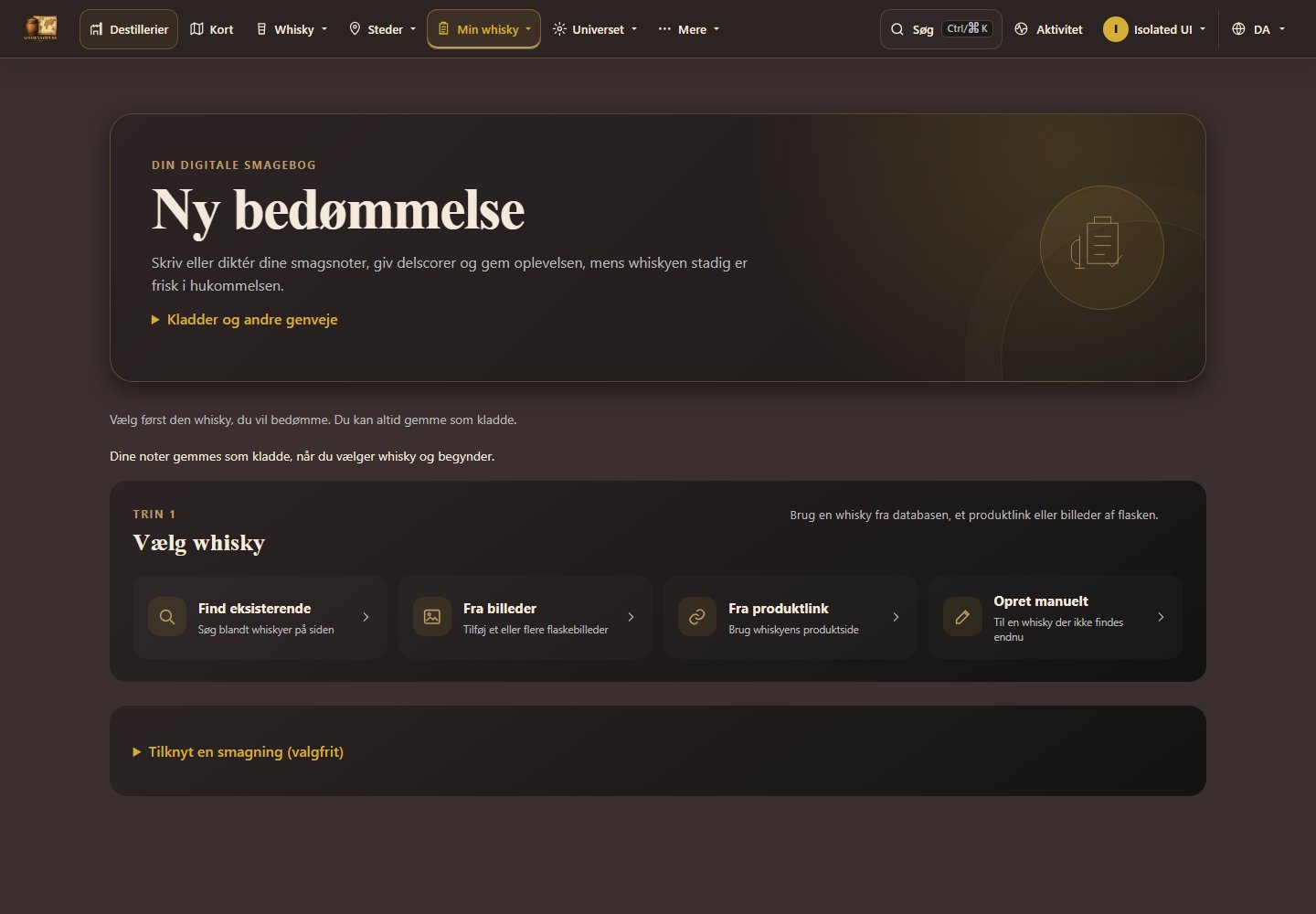
Log ind og åbn Ny bedømmelse. Begynd med Vælg whisky og skriv dine noter. Hvis bedømmelsen skal tilhøre en smagning, kan du åbne Tilknyt en smagning (valgfrit) længere nede. Kladder og andre genveje ligger i en foldbar menu øverst.


Tryk Find eksisterende, skriv whiskyens navn eller destilleri, og vælg den rigtige aftapning i resultaterne. Kontrollér navn og alkoholprocent, før du fortsætter.

Findes whiskyen ikke, kan du i stedet bruge Fra billeder, Fra URL eller Opret manuelt. Kontrollér whiskyoplysningerne ved afslutningen, før du gemmer ratingen. Se også: Opret whisky trin for trin
Vælg Næse, Smag, Eftersmag eller Note. Skriv i tekstfeltet, eller tryk Start diktering og tillad mikrofonadgang i browseren. Stop dikteringen, når du er færdig med at indtale. Skift sektion for at beskrive resten af oplevelsen.
Giv eventuelt næse, smag og eftersmag hver sin score fra 1 til 100 med scorevælgeren. Tallene kan også rettes i gennemgangen. Tryk Afslut for at gå videre; ratingen er endnu ikke færdiggemt.

Vil du holde pause, så tryk Gem kladde og kontrollér beskeden om, at kladden er gemt på din konto. Du finder den igen under Kladder. Ny rating starter en anden rating.
Læs alle fire notefelter, ret teksten, og kontrollér de tre scorer. Tilbage til noter åbner indtastningen igen. Vælg selv, om Forbedr noter med AI under analyse/opret skal være slået til.

Kontrollér datoen og Gør ratingen offentlig. En offentlig rating kan læses uden login. Slå feltet fra for en privat rating. Du kan også vælge ekstra billeder og skrive en billednote.
Tryk Gem rating for at afslutte og åbne ratingoversigten. Vælg Gem og næste whisky, hvis du vil bedømme endnu en flaske med det samme. Gem kladde bruges, når du vil fortsætte senere.

En privat rating i en delt smagning kan også ses af dem, der har adgang til smagningen. Deling af smagningen styres under Mine smagninger.
Efter Gem og næste whisky skal du se beskeden Ratingen er gemt. Vælg den næste whisky. Smagning, dato og synlighed er bevaret, mens noter og scorer starter forfra.

Dine gemte ratings ligger i ratingoversigten. Ratings til en smagning kan du også finde ved at åbne smagningen under Mine smagninger.
Del din samling med bestemte brugere, eller gør den synlig for alle registrerede brugere.
Gør samlingen synlig for alle registrerede brugere, eller giv adgang til bestemte brugere via deres e-mailadresse. Du kan altid gøre samlingen privat igen eller fjerne en brugers adgang.
Under Delte samlinger finder du samlinger, der er delt direkte med dig, samt samlinger der er gjort synlige for alle registrerede brugere. Du kan selv fjerne din adgang til en direkte delt samling.
Whiskyuniverset samler inspiration og aktuelle opslag, som kan læses uden login.
Den sammenhængende whiskyguide forklarer fremstillingen fra korn til flaske, de forskellige whiskytyper og valgene bag smagen. Du får også hjælp til at læse etiketter, sammenligne smagsprøver og dokumentere flasker i din samling.
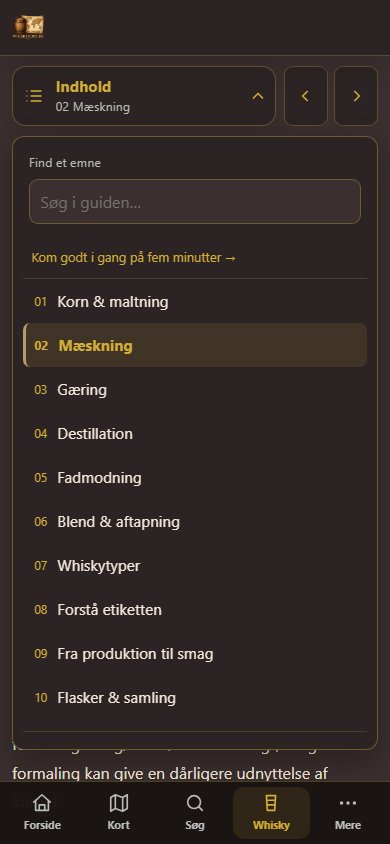
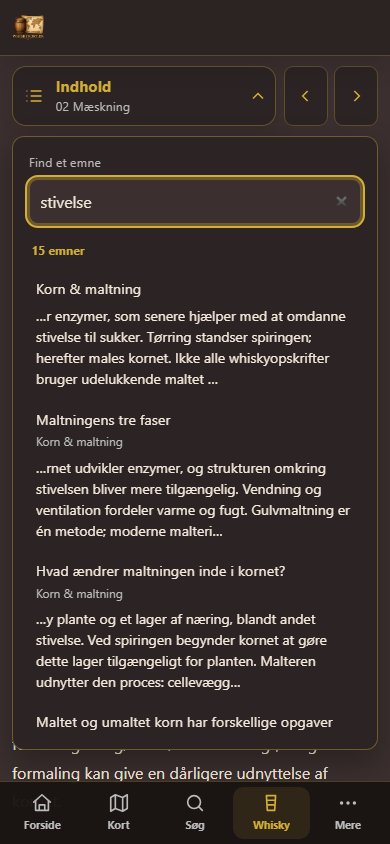
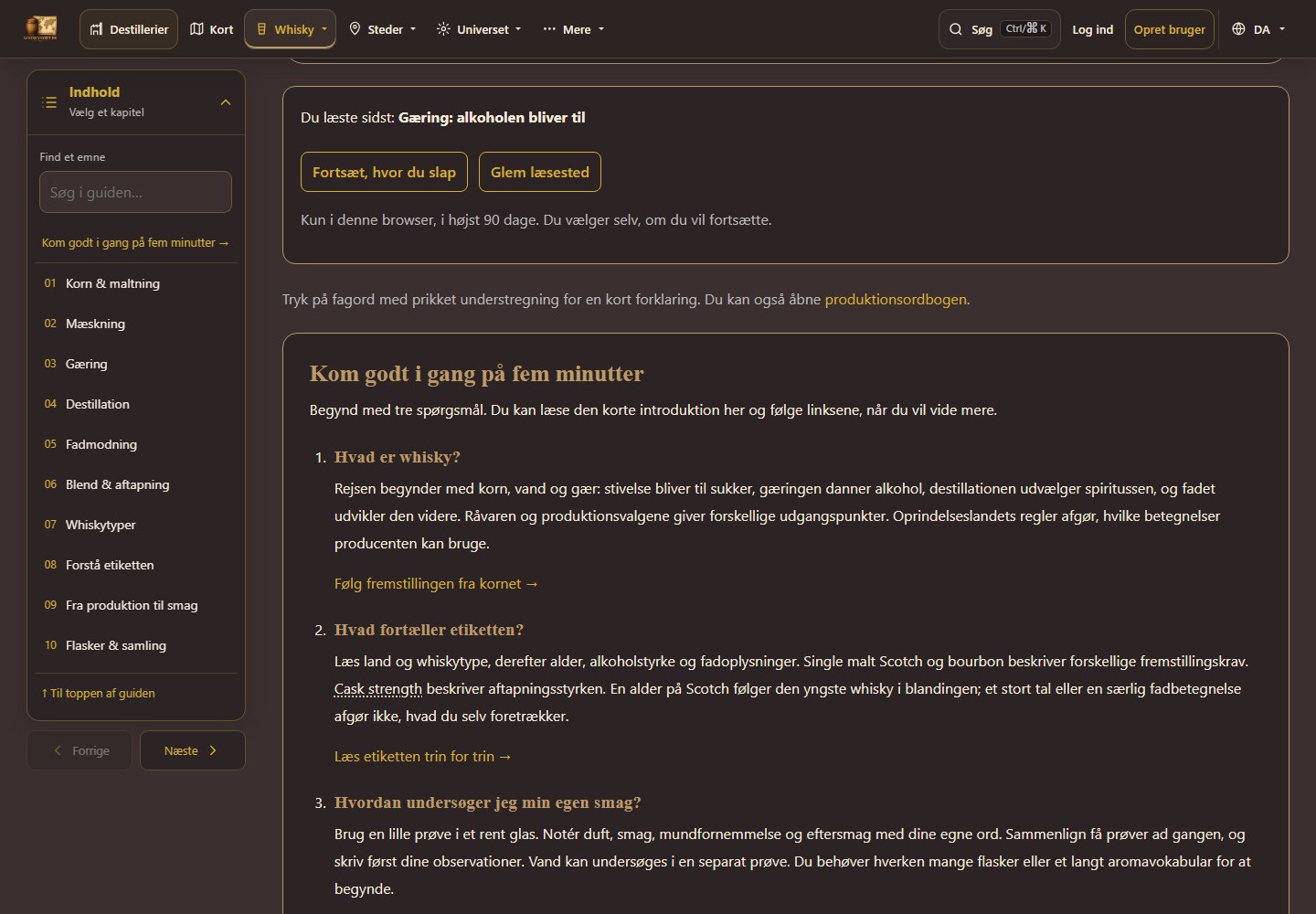
Åbn Indhold for at vælge et af de ti kapitler eller søge efter et emne. Indholdsoversigten følger med, mens du læser; på mobil bruger du også forrige/næste-knapperne. Afsnittene har faste links, som kan gemmes som bogmærker og deles.
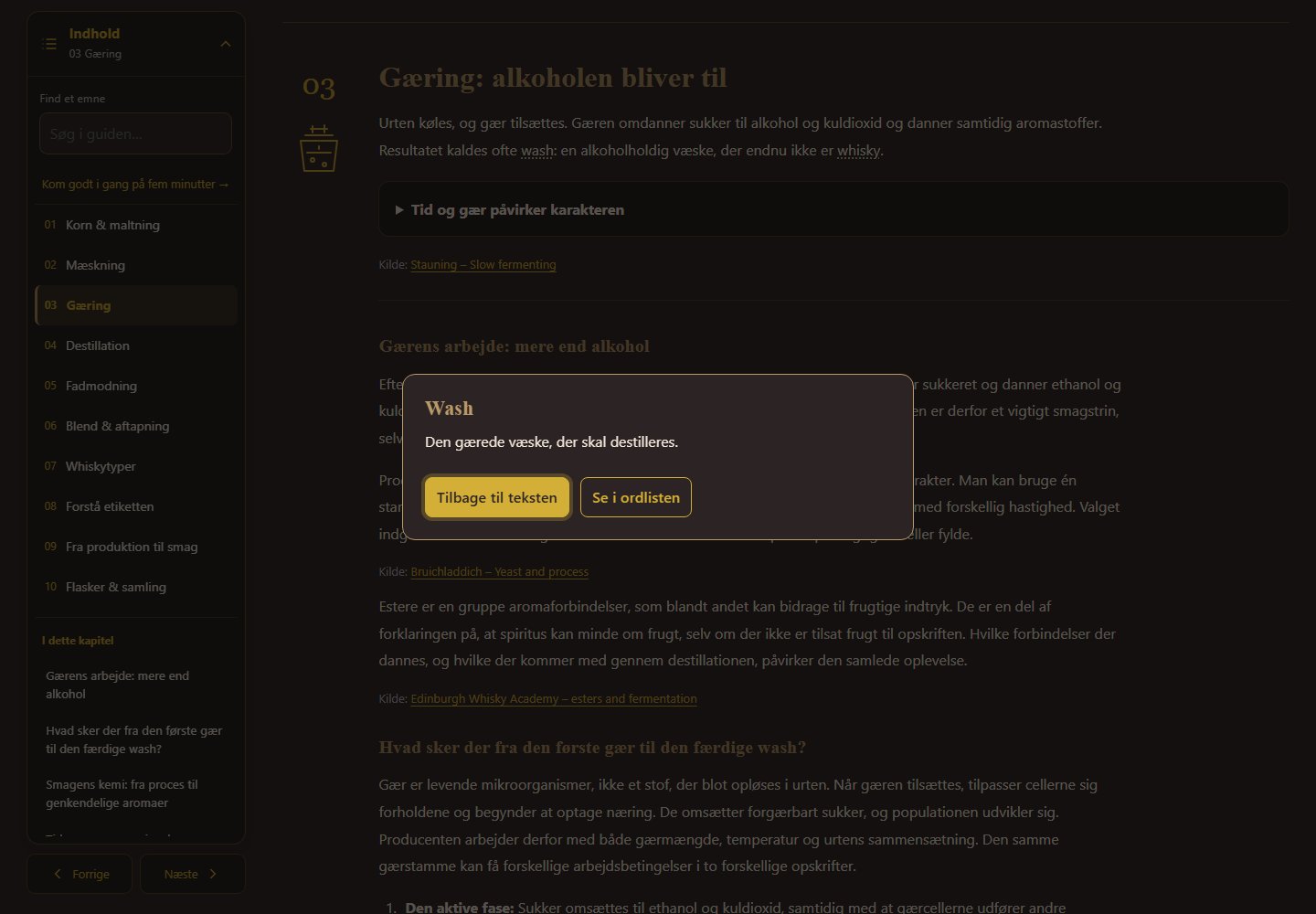
Kapitler, forklaringer, ordliste og whiskyforløb kan læses uden JavaScript. Åbn foldbare forklaringer manuelt. Søgning, automatisk åbning af afsnitslinks og læsehjælp kræver JavaScript.
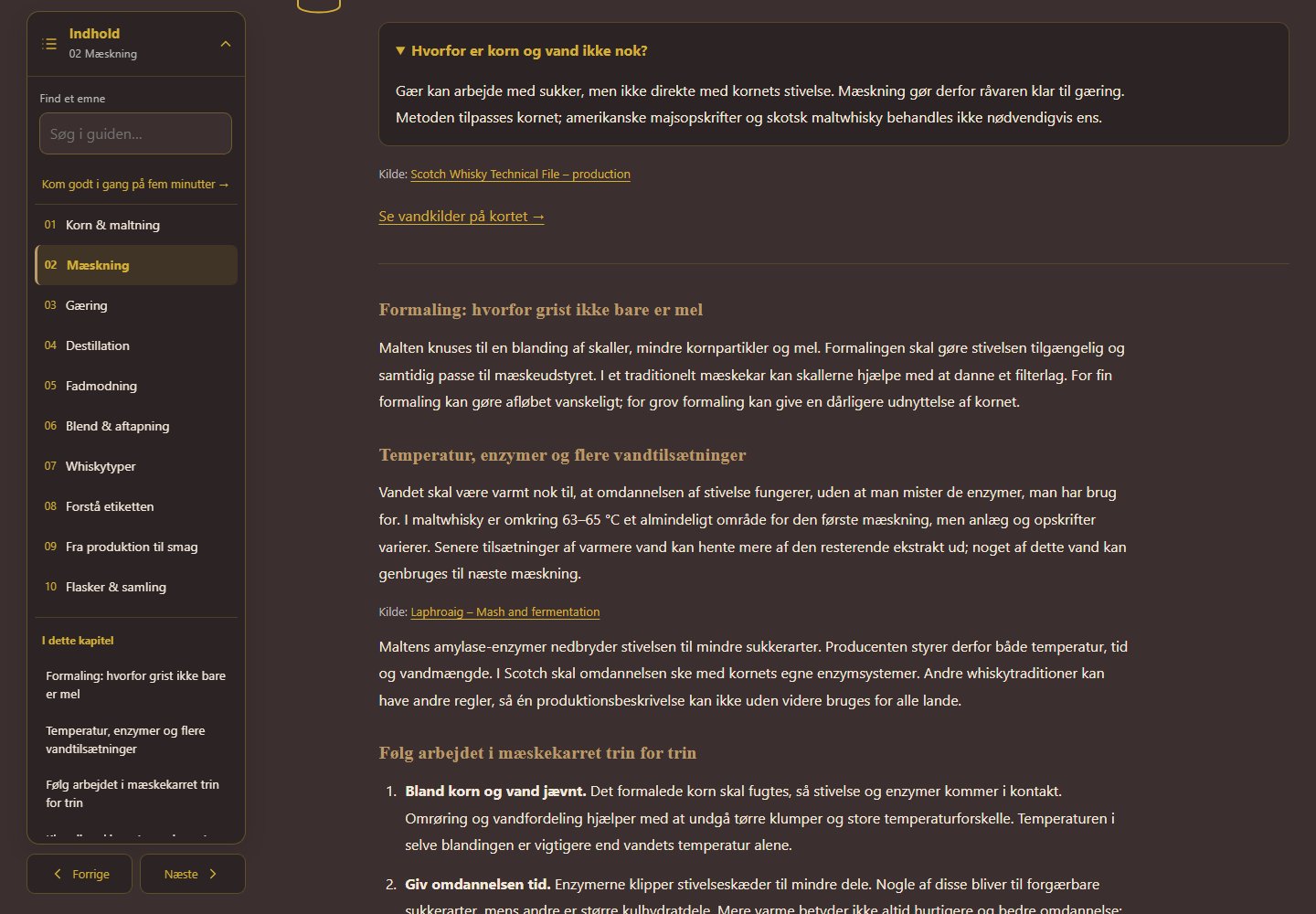
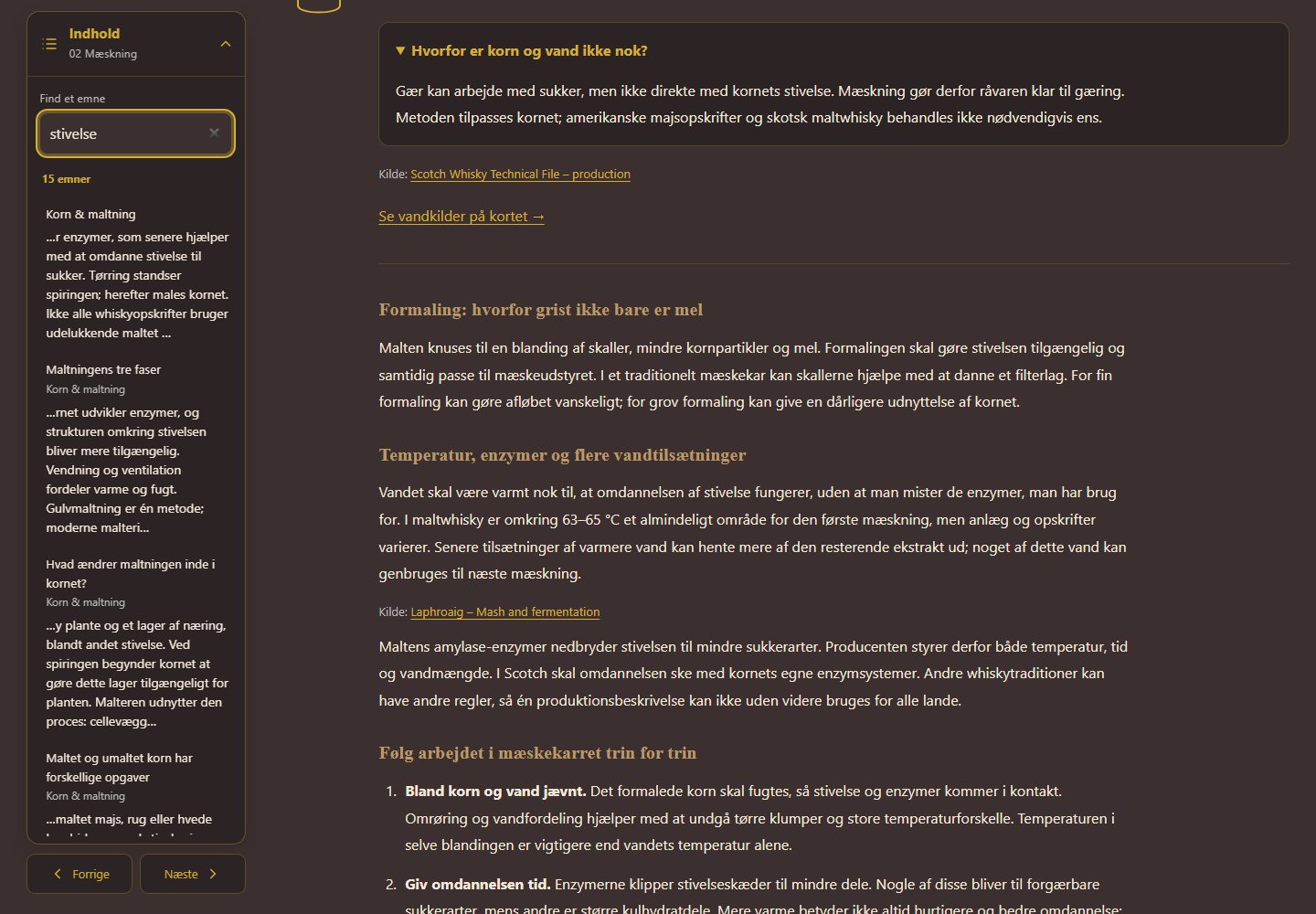
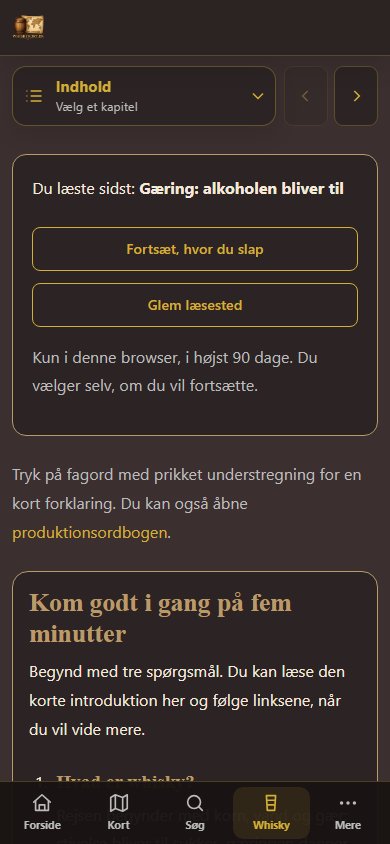
Der gemmes et afsnit, ikke en præcis linje, kun i denne browser og i højst 90 dage efter seneste læsning. Direkte afsnitslinks og bogmærker har forrang. Funktionen kræver JavaScript og tilladt browserlagring. Guiden fungerer stadig, når lagring er slået fra.
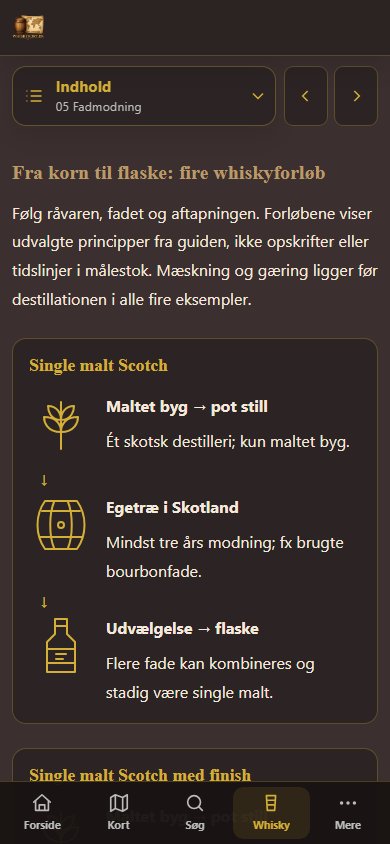
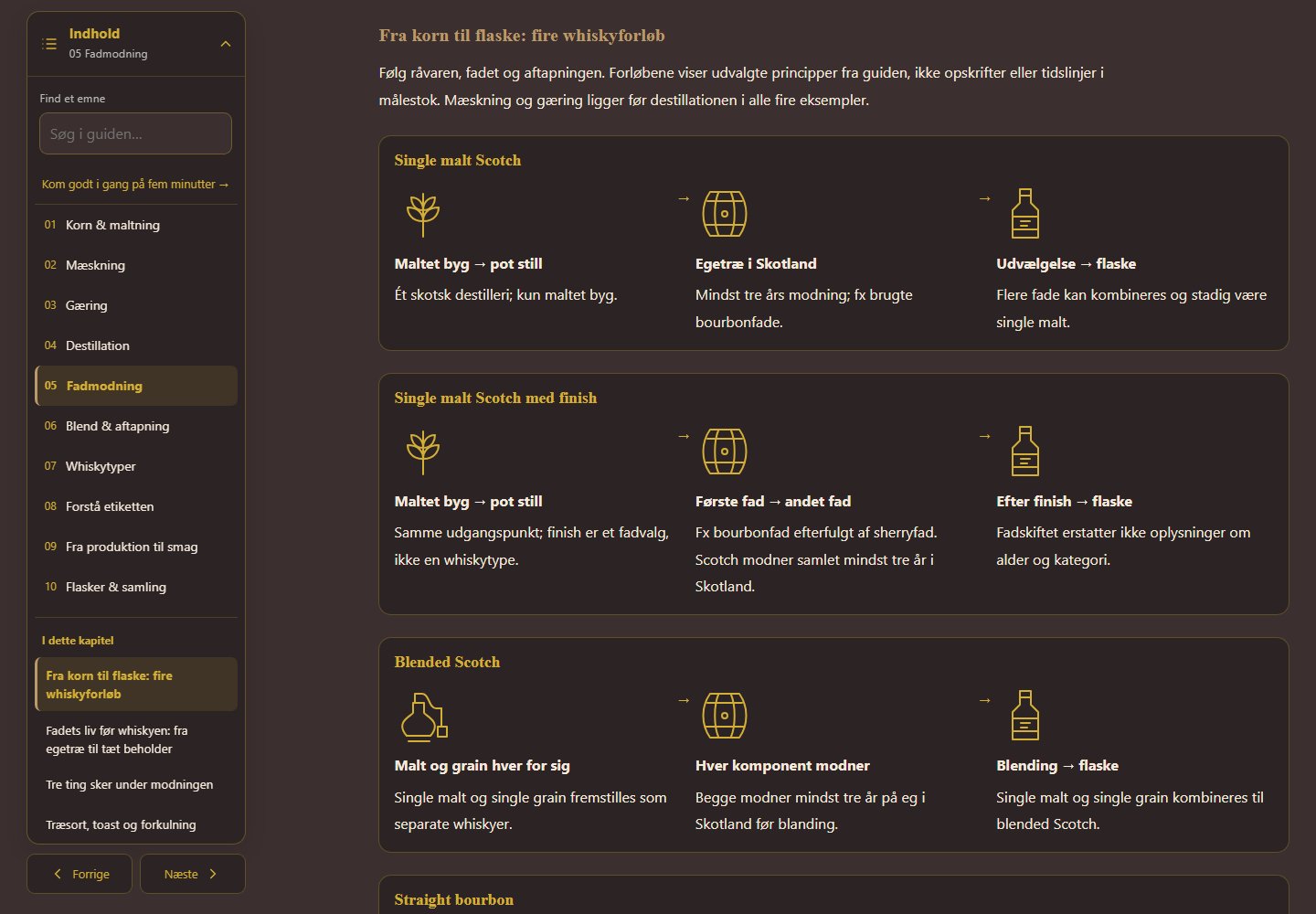
Vælg Fadmodning i Indhold og derefter Fra korn til flaske: fire whiskyforløb. Følg råvare, fad og aftapning for single malt Scotch, single malt med finish, blended Scotch og straight bourbon. På computer læses pilene mod højre, på mobil nedad. Navnene linker til de relevante forklaringer.
Oversigten viser principper, ikke en tidslinje i målestok. Den fungerer også uden JavaScript.
Ny i whisky? Begynd med femminuttersintroduktionen. Du kan også sammenligne lande og fadstørrelser, følge tre smageøvelser og bruge notearket på siden. Noterne gemmes i denne browser i 30 dage, når det er muligt. Vælg Brug noterne i en bedømmelse for at åbne en ny fane, vælge whisky og få sammenligningen indsat i Note. Kontrollér og gem selv bedømmelsen. Du kan også bruge Kopiér alle noter.
Læs nyheder om whisky og se de seneste flaskelanceringer. På en release kan du åbne detaljerne og se de tilknyttede oplysninger og billeder.
Brug kalenderen til at finde smagninger, festivaler og andre whiskyarrangementer.
Brug Indberet i hovedmenuen, hvis du finder forkerte oplysninger, manglende data eller et link, der ikke virker. Beskriv gerne siden og fejlen så præcist som muligt.
Her finder du hjælp til adgang og de indstillinger, der følger dig på siden.
Ved oprettelse vælger du brugernavn og adgangskode og oplyser e-mail, navn og land. Åbn derefter linket i bekræftelsesmailen, før du logger ind første gang.
Vælg Glemt adgangskode på login-siden for at få et nulstillingslink. Hvis bekræftelsesmailen mangler eller linket er udløbet, kan du bede om et nyt link.
Brug DA/EN-menuen øverst på siden til at skifte mellem dansk og engelsk. Valget bevares, når du går videre til andre sider.
Åbn brugermenuen øverst til højre og vælg lyst eller mørkt tema. Browseren husker dit valg på den enhed, du bruger.